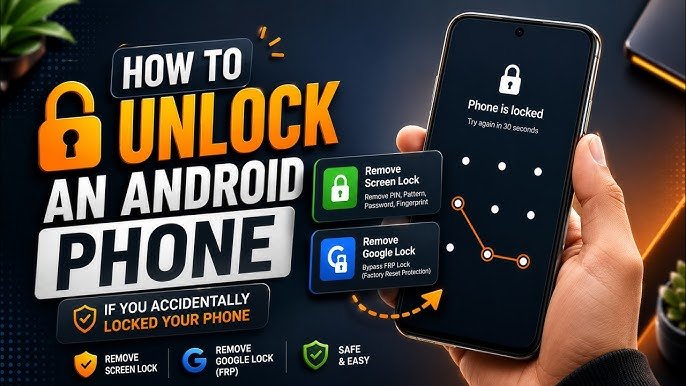
Forgetting your phone’s screen lock can be frustrating, especially when you need access to important photos, messages, contacts, or other personal information. Whether you use a PIN, password, pattern, fingerprint, or face recognition, there are safe ways to regain access to your device.
The best method depends on your phone model, operating system, and whether you still have access to the account connected to the device.
This guide explains safe and official ways to unlock your phone without relying on suspicious tools or methods that could put your personal data at risk.
What Should You Do If You Forget Your Phone Lock?
If you cannot remember your PIN, password, or pattern, don’t repeatedly guess random combinations. Too many incorrect attempts can temporarily lock the device or increase the waiting period.
Instead, identify your phone manufacturer and use its official recovery options.
Before trying anything, make sure you remember the Google Account or Apple Account associated with your phone, because account verification may be required after a reset.
Try Fingerprint or Face Unlock First
If biometric unlocking was already enabled, your phone may allow you to access the device using your fingerprint or face.
However, many smartphones require the original PIN, password, or pattern after certain events, such as restarting the phone or after a security-related timeout.
If your phone is requesting the original screen lock, you may need to use the account recovery or device reset options described below.
How to Unlock an Android Phone Safely
Android devices from different manufacturers may provide different recovery options.
If you have forgotten your screen lock, check your manufacturer’s official support instructions first.
Depending on your phone and Android version, available options may include:
- Account-based recovery
- Remote device management
- Factory reset
- Manufacturer-specific recovery features
- Authorized service support
Avoid downloading unknown “screen unlock” applications or computer programs that promise instant access. Some may be unreliable, unsafe, or designed to collect sensitive information.
Use Google’s Official Device Tools
If your Android phone is connected to your Google Account and meets the required conditions, Google’s device-management features can help you locate, secure, or erase the device.
If you have permanently forgotten the screen lock and cannot regain access through an available recovery option, an official factory reset may be necessary.
A factory reset removes personal data stored on the device, so it should be considered a last resort.
After resetting the phone, Android may require the Google Account that was previously associated with the device as part of its security protection.
How to Reset an Android Phone
If there is no other legitimate recovery option, you may need to perform a factory reset using the recovery options provided for your specific phone model.
The exact button combination and menu options vary between manufacturers.
Before doing this, understand that a factory reset can erase:
- Photos stored only on the phone
- Downloaded files
- Apps and their local data
- Messages stored locally
- Device settings
- Other information that has not been backed up
If your data is synchronized with your Google Account or another cloud service, some information may be restored after you sign in again.
How to Unlock an iPhone Safely
If you forgot your iPhone passcode, Apple provides official methods for regaining access.
In many situations, the solution involves erasing the iPhone and setting it up again.
This is an important security feature. A forgotten passcode should not be bypassed using unofficial software or questionable websites.
If you have an up-to-date backup, you may be able to restore your personal information after the device has been erased.
Use Apple’s Official Recovery Process
Apple provides recovery options for an iPhone or iPad when the device passcode has been forgotten.
Depending on the device and software version, you may be able to erase and restore the iPhone using the device itself or a computer.
After the reset, you may need the Apple Account credentials previously associated with the device because of Apple’s Activation Lock security.
This helps prevent unauthorized use of lost or stolen devices.
What Happens After a Factory Reset?
A factory reset returns the phone to its initial setup state.
You will generally need to:
- Start the phone’s setup process.
- Connect to Wi-Fi or mobile data.
- Sign in with the required account.
- Restore an available backup.
- Reinstall your applications.
- Configure your security settings again.
If the phone asks for the Google Account or Apple Account previously associated with the device, use the correct credentials.
This account verification is an important anti-theft security feature.
Can You Unlock a Phone Without Losing Data?
Sometimes, yes—but it depends entirely on the device and the recovery options available.
If biometric authentication still works, you may be able to access the phone without resetting it.
If you have forgotten the primary screen lock and the phone does not provide a legitimate recovery method, a factory reset may be the only available option.
This is why regularly backing up your phone is so important.
What About “Universal Unlock” Tools?
Be careful with websites and applications that claim they can unlock any phone without a password, account verification, or data loss.
There is no universal method that legitimately works on every modern smartphone.
Such tools can potentially:
- Install unwanted software
- Collect personal information
- Damage the device
- Cause data loss
- Require unnecessary payments
- Leave the phone in an unusable state
Always prefer instructions provided by your phone manufacturer or official platform provider.
How to Avoid Getting Locked Out Again
Once you regain access to your phone, take a few steps to prevent the problem from happening again.
Use a Memorable PIN
Choose a PIN that is difficult for others to guess but easy for you to remember.
Avoid obvious combinations such as birthdays or simple repeated numbers.
Set Up Biometric Unlock
If your phone supports fingerprint or face recognition, consider enabling it as a convenient additional unlocking method.
Remember that your phone may still periodically require the primary PIN or password for security reasons.
Keep Your Account Recovery Information Updated
Make sure you can access the Google Account or Apple Account associated with your device.
Keep your recovery email address and other recovery methods up to date.
Back Up Your Important Data
Regular backups can protect your photos, contacts, documents, and other important information if you ever need to reset your phone.
Use the backup options provided by your phone’s operating system or trusted cloud services.
What If You Bought a Used Phone?
If you purchased a second-hand phone and it asks for the previous owner’s account after a reset, do not try to bypass the security system.
Contact the previous owner and ask them to properly remove the device from their account.
If the seller cannot provide legitimate ownership credentials, contact the retailer or marketplace where you purchased the device.
A legitimate owner should be able to complete the appropriate account-removal process.
Frequently Asked Questions
Can I unlock my phone if I forgot my PIN?
Depending on the phone, you may be able to use an available official recovery option. If no recovery method is available, a factory reset may be required.
Can I unlock my phone without losing my data?
It depends on the device and whether an official recovery method is available. If the phone requires a factory reset, locally stored data may be erased.
Will a factory reset remove the screen lock?
A factory reset removes the device’s local settings and data, but modern phones may still require the previously associated Google Account or Apple Account during setup.
Are phone unlocking applications safe?
You should be cautious with third-party unlocking applications. Use official recovery tools and manufacturer support whenever possible.
What should I do if I bought a locked second-hand phone?
Contact the previous owner or seller and ask them to complete the official account-removal process. Do not attempt to bypass anti-theft protections.
Final Thoughts
Forgetting your phone’s screen lock can be stressful, but the safest solution is to use official recovery and reset options provided by your phone manufacturer or operating system.
Avoid suspicious unlocking tools and websites that promise to bypass security protections instantly. If you regularly back up your data and keep your account recovery information updated, recovering access to your phone becomes much easier.
Disclaimer
This article is for informational purposes only. Recovery options vary by device, operating system, and software version. Always use official manufacturer or platform-supported methods and make sure you have the right to access the device.