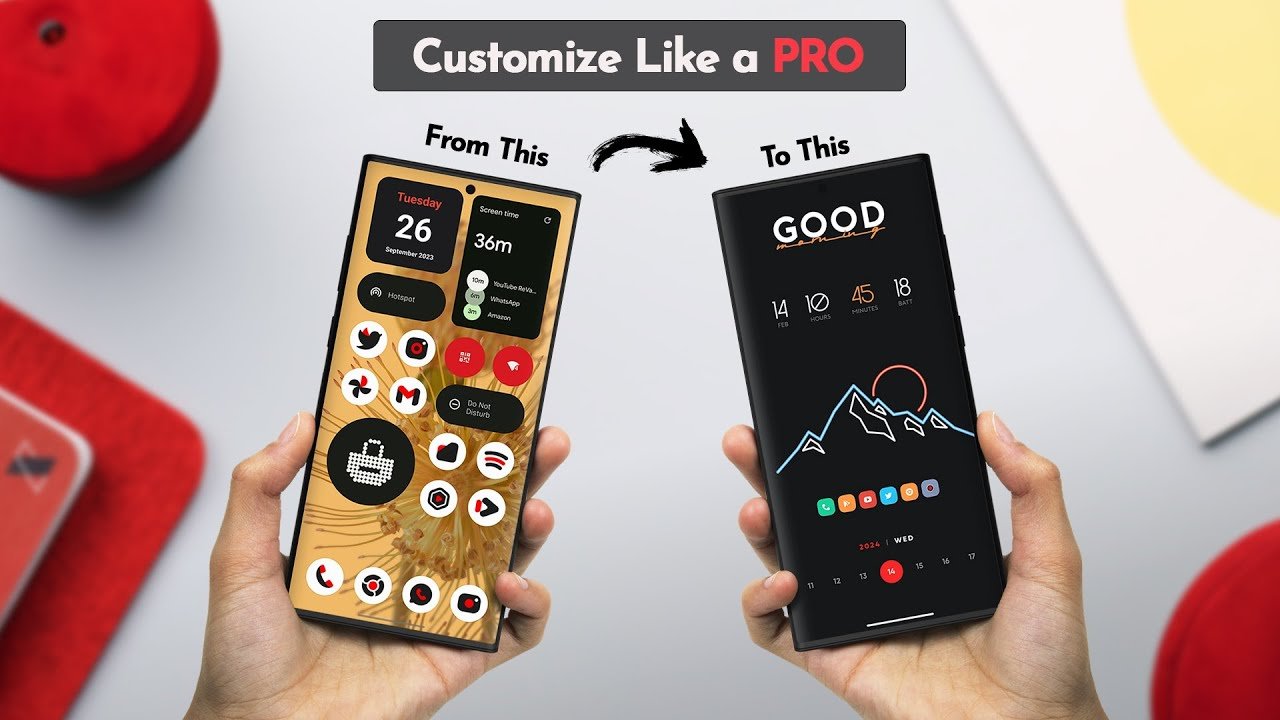
Smartphones have become an important part of our everyday lives, and most people use their phones for communication, entertainment, work, browsing, and many other activities. Because we spend so much time looking at our phone screens, having a comfortable and attractive interface can make the overall experience more enjoyable. Themes and wallpapers are an easy way to refresh the appearance of a smartphone without changing the device itself.
The Themes app by The Gosa Design is designed for users who enjoy exploring different visual styles for their mobile phones. It brings together a collection of themes and wallpapers that can help users discover new looks for their devices. Whether you prefer colorful designs, minimalist backgrounds, cute illustrations, dark styles, or modern icon appearances, exploring different personalization options can help make your phone feel more like your own.
In this guide, we will explore the Themes app, its features, available customization options, how it works, and what users should know before trying it on their Android devices.
What Is the Themes App?
Themes is a personalization application developed by The Gosa Design. It serves as a collection of selected themes and wallpapers for different smartphones, including Xiaomi, Redmi, Samsung Galaxy, Oppo, and Realme devices.
Instead of creating an entirely new interface itself, the app directs users to the relevant theme store where supported themes can be viewed and installed. This makes it a discovery platform for people who want to explore different designs without manually searching through multiple theme collections.
The app includes a variety of visual styles and provides access to themes and wallpaper collections. According to its Google Play listing, it offers thousands of themes and wallpapers, with new selections and content being added over time.
Users should remember that the app is an unofficial collection and that theme availability depends on the device, regional settings, and compatibility with the relevant theme store.
Main Features of Themes
Explore Different Phone Themes
One of the main reasons users explore theme applications is to change the overall visual appearance of their smartphone. A theme may include different design elements, such as icons, wallpapers, colors, and interface styling, depending on the phone and the theme being selected.
The Themes app makes it easier to discover different design ideas in one place. Users can explore available styles and choose a look that matches their preferences.
Some people prefer clean and simple designs, while others enjoy colorful icons and creative backgrounds. Having different options available makes phone personalization more interesting.
Wallpaper Collection
Wallpapers are one of the simplest ways to make a phone look different. A new background can change the appearance of the home screen without requiring major adjustments.
The app provides access to wallpaper collections featuring different visual styles. Users can explore backgrounds based on their interests, such as nature, abstract artwork, colorful illustrations, minimal designs, or other creative images available in the collection.
A suitable wallpaper can also make app icons easier to recognize and help keep the home screen visually organized.
Customization for Different Smartphones
Not every Android smartphone uses the same interface. Xiaomi and Redmi phones may use Xiaomi’s theme ecosystem, while Samsung, Oppo, and Realme devices have their own customization options and limitations.
Themes is intended to help users discover themes across several smartphone brands. However, the availability of a complete theme can depend on the device’s software, manufacturer, region, and supported theme store.
Some users may be able to apply complete themes, while others may only be able to use compatible wallpapers or lighter personalization options.
Discover New Designs
Phone customization is not always about choosing one design and keeping it forever. Some users enjoy changing their wallpaper regularly or trying a different visual style every few weeks.
The Themes app provides a place to explore different selections and discover new designs. Users who enjoy keeping their smartphone appearance fresh may find this type of theme collection useful.
Simple Theme Discovery
Finding an attractive theme can sometimes take time, especially when a theme store contains a large number of options.
A collection-based app can make the discovery process more convenient by presenting selected designs in one place. Users can explore available options, open a theme through the supported store, and decide which design suits their phone.
The final installation process depends on the compatible theme store and device.
New Content and Updates
Theme collections can change as new wallpapers and designs become available. The developer’s listing describes regular additions to its theme and wallpaper collection, giving users opportunities to explore different visual options over time.
Keeping the app updated can also help users access its latest improvements and content.
How to Use Themes on Your Mobile Phone
Getting started with the Themes app is relatively straightforward. Users can follow these steps to explore the available personalization options.
Step 1: Open the Themes App
Start by opening the Themes application on your Android smartphone. Once the app loads, explore its available sections and featured designs.
Step 2: Explore Available Themes
Browse the theme collection and look for a design that matches your preferred style. You may find different colors, icon appearances, wallpapers, and other visual elements depending on the available collection.
Take your time to compare a few options before choosing one.
Step 3: Select Your Preferred Design
Open the theme you like to view its available details and supported options. Some themes may provide a preview of the visual appearance before you continue to the theme store.
Step 4: Open the Theme Store
The app redirects users to the relevant theme store for supported designs. From there, you can check whether the selected theme is available for your smartphone.
Step 5: Apply the Theme
If the theme is compatible with your device, follow the instructions provided by the theme store to apply it. Depending on your phone, you may be able to change the wallpaper, icons, lock screen, or other interface elements.
Step 6: Customize Your Home Screen
After applying a theme, review your home screen and make any additional adjustments. You can select a different wallpaper, organize your icons, or change other settings supported by your phone to create a more comfortable appearance.
Why Customize Your Phone with Themes?
Personalizing a smartphone can make the device feel more enjoyable and visually comfortable. Although themes do not necessarily change how a phone performs, they can make its interface look different and help users express their preferences.
Create a More Personal Appearance
Your smartphone is a device you use every day. Choosing a wallpaper, icon style, or color combination that you enjoy can make its appearance feel more personal.
Some users like simple layouts with fewer visual elements, while others prefer bright colors and detailed designs. Themes allow users to explore these preferences.
Refresh an Old Smartphone
If you have been using the same phone for months or years, its default interface may begin to feel repetitive. Changing the wallpaper or applying a new compatible theme can give the screen a fresh appearance without purchasing a new smartphone.
Find a Style That Matches Your Mood
A person may prefer dark backgrounds during the evening, nature wallpapers during the day, or colorful designs whenever they want something different.
Theme customization gives users the freedom to experiment with different visual styles according to their preferences.
Improve Home Screen Organization
A well-selected wallpaper and a consistent icon appearance can make a home screen look cleaner. Users can combine a simple background with organized app folders to create a more balanced layout.
The best customization is not always the most complicated one. Sometimes a minimal wallpaper and a few organized icons are enough to make a smartphone look attractive.
Is Themes App Suitable for Every Android Phone?
The Themes app is intended for users of several Android smartphone brands, but every theme does not necessarily work on every device.
Some complete themes are designed specifically for certain software versions or manufacturer interfaces. For example, a theme created for Xiaomi or Redmi devices may depend on the features available through their theme store.
Other phones may support wallpaper personalization but not the same complete theme system.
Before applying a design, check its availability and compatibility. If a theme does not open or cannot be applied, it may be unavailable in your region or unsupported by your device.
The developer also notes that some themes may not be accessible in certain locations. Therefore, users should not assume that every design in the collection will work on every smartphone.
Themes App for Xiaomi and Redmi Users
Xiaomi and Redmi users often enjoy exploring different interface designs because their supported theme ecosystem offers options for changing several visual elements of the phone.
Depending on the device and software version, users may be able to personalize:
- Home screen wallpaper
- Lock screen appearance
- App icons
- System colors
- Some interface elements
- Fonts and other supported visual settings
The Themes app can help Xiaomi and Redmi users discover different designs through its selected theme collection. However, the final customization options are provided by the compatible theme store, not necessarily directly by the collection app.
Themes App for Samsung, Oppo, and Realme Users
Android personalization is different across smartphone manufacturers. Samsung, Oppo, and Realme provide their own settings and customization systems, and the available options may vary between models.
Users of these smartphones can explore wallpapers and compatible theme options through the app. However, some complete themes may not be supported on their devices.
If you only want to change your background, wallpaper options may be more widely compatible than complete interface themes. Checking the preview and compatibility before applying a design is recommended.
Tips for Choosing the Best Mobile Theme
Selecting a theme is mostly a matter of personal preference, but a few simple tips can help you create a better-looking home screen.
Choose Wallpapers That Keep Icons Readable
A wallpaper with too many bright colors or detailed elements can make app icons difficult to recognize. Consider using a simple background with enough contrast to make your icons visible.
Try Minimalist Designs
Minimalist themes often use fewer colors, simple shapes, and clean backgrounds. They may be suitable for users who prefer an organized and distraction-free home screen.
Use Dark Designs When You Prefer Them
Dark wallpapers can provide a different visual appearance, especially on phones with OLED or AMOLED screens. However, the actual battery impact depends on the display technology, brightness level, and how the phone is used.
Avoid Changing Everything at Once
If you want a clean appearance, start with a wallpaper and icon style you like. Changing too many elements at once may make your home screen look crowded.
Check Compatibility First
Before applying a complete theme, confirm that it is supported by your device. Theme availability may vary according to your smartphone model, Android version, software interface, and region.
Themes App: Pros and Cons
Pros
- Provides a collection of themes and wallpapers.
- Makes it easier to explore different phone designs.
- Supports theme discovery for multiple smartphone brands.
- Offers different visual styles and personalization ideas.
- Helps users refresh their home screen appearance.
- Directs users to supported theme stores for applying selected designs.
Cons
- Not every theme is compatible with every smartphone.
- Some themes may not be accessible in certain regions.
- Complete theme support depends on the phone’s software.
- The app contains advertising and may offer in-app purchases.
- Theme installation may require using a separate manufacturer theme store.
Does the Themes App Change Your Phone’s Performance?
The Themes app is mainly focused on visual personalization rather than improving smartphone speed, memory, or battery performance.
Changing a wallpaper or theme will not automatically make your phone faster. Performance depends on factors such as the device’s hardware, installed applications, available storage, background processes, and software condition.
If you prefer a simple smartphone interface, selecting a lightweight wallpaper and avoiding unnecessary visual effects may help keep your home screen organized. However, this should not be considered a guaranteed performance improvement.
Is Themes App Worth Trying?
Themes can be worth exploring if you enjoy customizing your smartphone and want an easy way to discover different wallpapers and visual styles.
The app may be useful for users who regularly change their phone’s appearance or want to find new theme ideas without searching through a large collection manually.
Its main purpose is theme discovery. Users should understand that the actual customization experience depends on their device and the compatible theme store. Those who only need a basic wallpaper may also find that their phone’s built-in wallpaper settings are sufficient.
Final Thoughts
The Themes app by The Gosa Design offers a convenient way to explore mobile themes, wallpapers, and different personalization ideas. It can be a useful option for Android users who want to refresh the appearance of their smartphone without changing their device.
With a collection of designs for different styles and supported smartphones, users can explore new looks and choose the ones that suit their preferences. Although compatibility may vary, the app provides a simple starting point for anyone interested in phone customization.
If you enjoy experimenting with wallpapers, icons, and visual styles, Themes is worth exploring to find a design that makes your mobile screen feel more personal.
App Information
- App Name: Themes
- Developer: The Gosa Design
- Category: Personalization
- Platform: Android
- Purpose: Themes and wallpaper discovery
- Official Google Play Page:
Disclaimer: This article is for informational purposes only. Themes is an unofficial theme collection application. Theme availability, compatibility, and customization features may vary depending on your device, software version, and region. Always review the official app listing and relevant permissions before using any application.