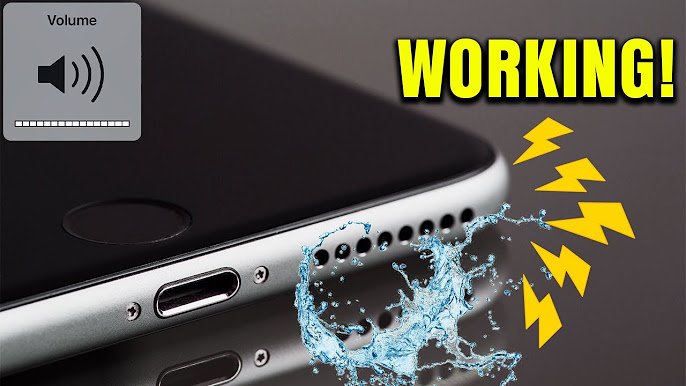
If your iPhone speaker sounds muffled, quiet, distorted, or crackly after getting wet or collecting dust, you may not need a repair immediately. Water droplets and dirt can temporarily block the speaker openings and reduce sound quality.
The good news is that you can try several safe methods at home to remove moisture, clean the speaker, and restore normal iPhone sound. Avoid aggressive cleaning methods, because the speaker mesh can be damaged easily.
Why Is Your iPhone Speaker Sound Low or Muffled?
Several things can cause poor speaker sound on an iPhone:
- Water or moisture inside the speaker grille
- Dust and dirt blocking the speaker openings
- Pocket lint stuck around the speaker mesh
- A protective case covering part of the speaker
- Temporary software or audio problems
- Physical damage to the speaker
If the problem started immediately after your iPhone became wet, trapped moisture is one of the first things to check.
What to Do Immediately If Your iPhone Gets Wet
If your iPhone has recently been exposed to water, start with basic precautions.
1. Disconnect Accessories
Remove the charging cable, headphones, or other connected accessories.
Do not connect a charging cable while moisture may still be present around the charging port.
2. Remove the Case
Take off the phone case so moisture trapped around the device can evaporate more easily.
Dry the outside of the iPhone with a soft, lint-free cloth.
3. Keep the Speaker Facing Down
Place the iPhone with the speaker openings facing downward. This can help excess liquid move away from the openings instead of remaining inside the grille.
Do not shake the phone aggressively.
4. Let the iPhone Dry Naturally
Keep the iPhone in a dry location with normal airflow.
Give it sufficient time to dry before charging or using accessories.
Do not use a hair dryer, heater, compressed air, or other high-pressure airflow directly on the speaker. Excessive heat or pressure can damage internal components.
How to Remove Water From an iPhone Speaker
If your iPhone still produces muffled sound after getting wet, you can try a speaker water-ejection sound.
These sounds play a low-frequency tone designed to help move small amounts of water away from the speaker opening.
However, this should not be treated as a way to dry a heavily water-damaged phone. If the iPhone has been submerged or continues to malfunction, professional inspection may be necessary.
Use a Speaker Water Eject Sound
You can use a reputable online speaker-cleaning or water-ejection tool that generates a suitable tone.
Before using one:
- Disconnect headphones and Bluetooth speakers.
- Set the iPhone volume to a suitable level.
- Keep the speaker opening unobstructed.
- Play the tone for a short period.
- Check the speaker afterward.
- Allow the phone to continue drying naturally if the sound remains muffled.
Avoid repeatedly playing extremely loud sounds for long periods.
How to Remove Dust From an iPhone Speaker
Dust and lint can gradually accumulate in the speaker grille, especially if you frequently keep your iPhone in a pocket or bag.
Use a Soft, Dry Brush
A small, soft-bristled brush can be useful for gently removing loose dust from the speaker openings.
Hold the iPhone securely and brush lightly across the grille.
Do not push the bristles deeply into the speaker holes.
Use a Dry Microfiber Cloth
For dirt around the exterior of the speaker area, use a clean, dry microfiber or lint-free cloth.
Gently wipe the surface around the speaker openings.
Avoid soaking the cloth.
Do Not Use Sharp Objects
Never use a needle, pin, SIM-eject tool, knife, or similar sharp object to clean the speaker mesh.
Although these objects may remove visible dirt, they can damage the protective mesh or push debris deeper into the phone.
Check Your iPhone Case and Screen Protector
Sometimes the speaker itself is fine, but an accessory is blocking part of the sound.
Remove your case temporarily and play music or a video.
If the sound becomes noticeably louder, inspect the case’s speaker openings.
Also check whether a poorly positioned screen protector is covering the earpiece speaker.
Restart Your iPhone
If your iPhone did not get significantly wet and the sound suddenly became abnormal, a simple restart can sometimes resolve a temporary audio problem.
Restart the iPhone normally and test:
- Music
- YouTube videos
- Ringtones
- Speakerphone calls
- Notification sounds
If everything works normally after restarting, the issue may have been temporary rather than physical.
Check the Volume and Audio Settings
Before assuming the speaker is damaged, check your audio settings.
Increase the volume using the physical volume buttons while audio is playing.
You can also open Control Center and check the current volume level.
If you’re testing during a phone call, make sure the audio output is actually coming through the iPhone speaker rather than another connected device.
Test the Speaker With Different Audio
One app may not accurately show whether your speaker is working correctly.
Test several types of audio:
Music: Check overall volume and clarity.
Video: Listen for distortion or crackling.
Ringtone: Check whether the phone’s main speaker produces a normal ringtone.
Speakerphone: Make a test call and check the sound.
If every type of audio sounds muffled, the problem is more likely related to the speaker or physical obstruction.
What Not to Do When Cleaning an iPhone Speaker
Some popular cleaning methods can cause more harm than good.
Don’t Use a Hair Dryer
High heat can damage components inside the phone. Avoid directing hot air at the speaker or charging port.
Don’t Use Compressed Air
Strong airflow can force moisture or debris further into the device.
Don’t Put Your iPhone in Rice
Rice is often recommended as a way to dry wet electronics, but loose particles and dust can enter openings. Natural drying in a suitable environment is a safer approach.
Don’t Pour Cleaning Liquid Into the Speaker
Never pour water, alcohol, cleaner, or another liquid directly onto the speaker grille.
Don’t Push Objects Into the Grille
Avoid pins, toothpicks, needles, and other hard objects that can damage the speaker mesh.
How to Know if Your iPhone Speaker Is Still Wet
Your speaker may still contain moisture if:
- Sound is noticeably muffled
- Bass sounds weaker than normal
- Audio has a crackling quality
- The volume seems unusually low
- Sound changes as the phone is moved
- The problem started immediately after water exposure
In this situation, avoid aggressive cleaning and allow the phone to dry naturally.
What If the Speaker Still Sounds Bad?
If you’ve removed visible dust, allowed the phone to dry, restarted it, and tested multiple audio sources but the sound remains poor, there may be an underlying hardware issue.
Possible causes include:
- Damaged speaker components
- Corrosion from liquid exposure
- Damaged speaker mesh
- Internal debris
- Previous repair damage
- Other hardware problems
If the iPhone was submerged, exposed to salt water, or shows additional problems such as charging issues, display problems, unexpected shutdowns, or overheating, professional inspection is a safer option.
How to Prevent iPhone Speaker Problems
A few simple habits can help keep the speaker openings cleaner.
Keep your iPhone away from unnecessary moisture and avoid using it in situations where liquid can easily enter the device.
Clean the exterior regularly with a suitable lint-free cloth and keep your phone case clean.
If you regularly carry your iPhone in a pocket, check the speaker area for accumulated lint and dust.
Most importantly, do not try aggressive cleaning methods just because the speaker sounds slightly muffled. Gentle cleaning and proper drying are much safer.
Final Thoughts
A wet or dirty speaker can make an iPhone sound quiet, muffled, distorted, or crackly. In many cases, the problem can improve after removing surface dust and allowing moisture to evaporate naturally.
Start with the safest steps: remove accessories and the case, dry the outside, keep the speaker facing downward, and allow the phone to dry. For light dust, use a soft dry brush without pushing anything into the speaker grille.
If the sound remains abnormal after drying and gentle cleaning, especially after significant water exposure, the problem may require professional inspection rather than additional DIY cleaning.