Transparent wallpapers are a fun way to give your smartphone a unique look. Whether you want a realistic transparent-screen effect, a glass-style background, or a simple minimal design, the right wallpaper can make your phone’s home and lock screen look much more attractive.
In this guide, we’ll explain what transparent wallpapers are, how they work, where they look best, and how to choose the right one for your phone.
What Is a Transparent Wallpaper?
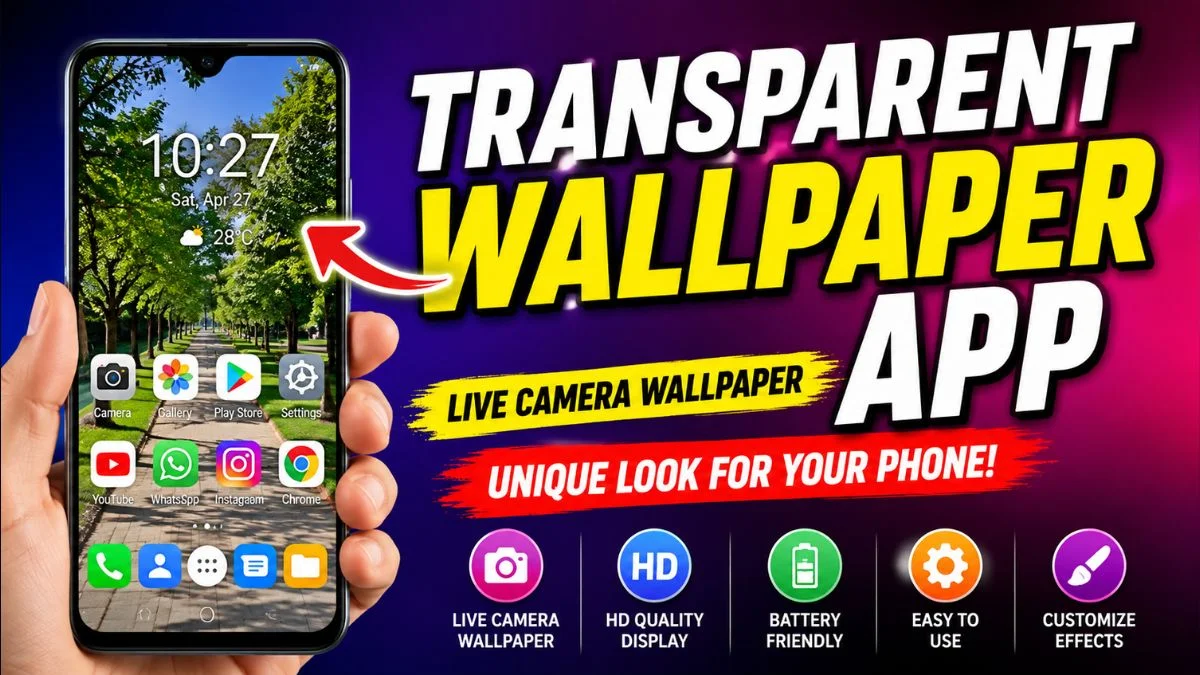
A transparent wallpaper is a background designed to create the appearance of a clear, glass-like, or see-through screen.
Some wallpapers use realistic images of objects such as glass, transparent materials, or internal phone components. Others use dark or minimal designs to create a transparent-screen illusion.
It is important to understand that a normal wallpaper cannot actually make your phone screen transparent. The effect is created through the image or design used as the wallpaper.
Why Use a Transparent Wallpaper?
There are several reasons people choose transparent-style wallpapers for their smartphones.
1. Unique Phone Appearance
A transparent wallpaper can make your phone look different from the standard wallpapers that come with the device.
2. Modern and Minimal Design
Glass-style and transparent wallpapers often have a clean appearance that works well with modern smartphone interfaces.
3. Great for Customization
If you enjoy customizing your phone, a transparent wallpaper can be combined with widgets, custom icons, and matching themes.
4. Works With Different Styles
Transparent effects can be created using dark, colorful, futuristic, or minimalist designs, giving you plenty of customization options.
Best Types of Transparent Wallpapers
Not every transparent wallpaper looks the same. Here are some popular styles you can try.
Glass Transparent Wallpaper
Glass wallpapers create the appearance of a clear surface over the screen. They often use reflections, highlights, and subtle shadows for a realistic effect.
Transparent Phone Wallpaper
These designs can make your phone appear as if you can see through the display to the components underneath.
AMOLED Transparent Wallpaper
Dark transparent wallpapers can look particularly good on phones with AMOLED displays because darker areas can blend naturally with the screen.
Transparent Nature Wallpaper
Some designs combine transparent effects with flowers, leaves, water, clouds, or other natural elements.
Futuristic Transparent Wallpaper
If you prefer a technology-inspired look, futuristic transparent wallpapers can include circuits, holographic elements, glass interfaces, and digital patterns.
How to Choose the Best Wallpaper for Your Phone
Before setting a transparent wallpaper, consider your phone’s display and your personal preferences.
Check Your Screen Resolution
Choose an image with a resolution that is suitable for your phone. A low-resolution image may look blurry when stretched across a large display.
Consider the Aspect Ratio
Modern phones use different screen ratios. A wallpaper with the wrong aspect ratio may be cropped when you set it as your background.
Choose a Dark Design for Better Visibility
If you have many icons on your home screen, an extremely bright or detailed wallpaper can make them difficult to read.
A darker and simpler transparent design can provide better contrast.
Avoid Overly Busy Images
A wallpaper may look impressive by itself but become distracting when combined with app icons and widgets.
For everyday use, a simple design is often a better choice.
How to Set a Transparent Wallpaper on Android
The exact steps depend on your phone manufacturer, but the general process is simple.
- Save the wallpaper to your phone.
- Open the Gallery or Photos app.
- Select the wallpaper.
- Tap the menu or options button.
- Choose Set as wallpaper.
- Select the Home screen, Lock screen, or both.
- Adjust the image position if necessary.
- Confirm your selection.
Your new wallpaper should now appear on your selected screen.
How to Set a Transparent Wallpaper on iPhone
On an iPhone, you can set a wallpaper through the system’s wallpaper settings.
Open:
Settings → Wallpaper → Add New Wallpaper
Select the image from your Photos and customize it according to the available options.
You can then choose whether to use it for your Lock Screen, Home Screen, or both.
Do Transparent Wallpapers Make Your Phone Screen See-Through?
No.
A transparent wallpaper is simply an image designed to create a visual illusion. It does not physically change the display or allow you to see through the phone.
The actual screen remains unchanged.
If an application claims that a normal phone camera or wallpaper can make your physical screen completely transparent, be careful with such claims.
Do Transparent Wallpapers Affect Battery Life?
A normal static wallpaper usually has a relatively small effect on battery consumption.
However, animated wallpapers, live wallpapers, and wallpapers that continuously use system resources can consume more battery than a simple static image.
If battery life is important to you, a static wallpaper is generally the safer choice.
Transparent Wallpaper vs Live Wallpaper
These two types of wallpapers are different.
Transparent wallpaper:
Usually a static image that creates a see-through or glass-like visual effect.
Live wallpaper:
An animated or interactive background that can move or respond to user interaction.
If you want a clean appearance and lower resource usage, a static transparent wallpaper may be a better option.
If you prefer movement and animation, a live wallpaper may provide a more dynamic experience.
Tips for a Better Home Screen
A good wallpaper is only one part of phone customization.
You can improve the overall appearance by:
- Using matching app icons
- Keeping unnecessary widgets to a minimum
- Choosing a wallpaper with good contrast
- Using a simple lock screen
- Organizing apps into folders
- Avoiding excessive visual effects
- Choosing a wallpaper that matches your phone’s theme
A clean layout can make even a simple wallpaper look professional.
Frequently Asked Questions
What is a transparent wallpaper?
A transparent wallpaper is an image designed to create a glass, clear, or see-through visual effect on a smartphone screen.
Can a wallpaper actually make my phone transparent?
No. A wallpaper can only create the appearance of transparency. It cannot physically make the display see-through.
Are transparent wallpapers free?
Many transparent-style wallpapers are available for free, although availability and usage rights depend on the source.
What resolution should I use?
Use a high-resolution image that matches your phone’s display as closely as possible. This helps prevent unwanted blurring or cropping.
Are transparent wallpapers good for AMOLED displays?
Yes. Dark transparent-style wallpapers can look especially attractive on AMOLED screens because deep black areas can blend naturally with the display.
Do transparent wallpapers drain battery?
A static wallpaper generally has minimal impact on battery life. Animated or live wallpapers can use more battery and system resources.
Final Thoughts
A transparent wallpaper is an easy way to give your smartphone a fresh and modern appearance. Whether you prefer a realistic glass effect, futuristic design, or simple minimalist background, there are many styles to choose from.
For the best results, select a high-quality image that matches your phone’s screen resolution and provides enough contrast for your icons. If battery life is a priority, a static transparent wallpaper is usually a better option than an animated background.
Disclaimer
This article is for informational purposes only. Transparent wallpapers create a visual effect and do not make your phone screen physically transparent. Wallpaper quality and compatibility may vary depending on your device.